Projects
A project holds everything for one hire — the job details, the candidates, the outreach sequence, and the conversations that follow.
A Project is one role you're hiring for. It holds the job details, the pipeline of candidates, the outreach sequence Rose sends, and every conversation and booking that comes out of it. Click Projects in the left sidebar to see yours.
Projects used to be called Sequences. Nothing about your existing work has changed — only the name.
In this section
- Creating a Project — start a project from Rose, from a job description, or from the Projects page.
- Managing a Project — the tabs inside a project and how the candidate pipeline flows.
- The Outreach Sequence — build the steps Rose sends, across email and LinkedIn.
- Launching a Project — what happens between “looks good” and the first message going out.
- Project Statuses — what Draft, In Progress, Paused and the rest mean.
The Projects page
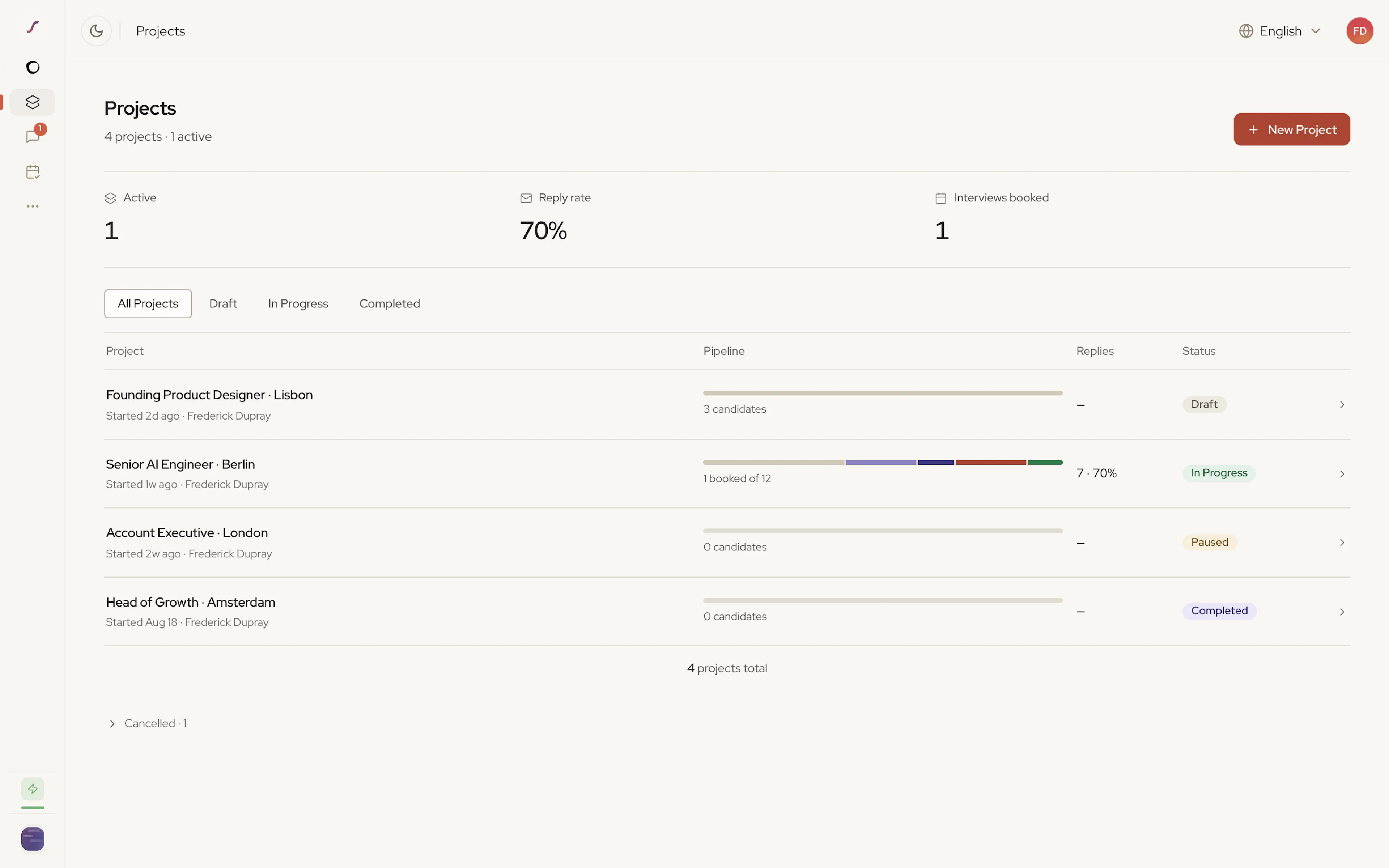
The page opens with your projects and their headline stats:
| Stat | What it shows |
|---|---|
| Active | How many projects are currently running |
| Reply rate | The share of contacted candidates who replied |
| Interviews booked | Interviews booked across non-cancelled projects |
Below that, each project appears as a row with a pipeline bar showing where its candidates are, its replies and reply rate, and its status. Use Filter to view by status, and New Project to start a new one.
Who can see a project
Projects are private to the person who created them unless they're shared. Share a project with teammates to work on it together. Organisation admins can choose whether they see every project in the workspace — see Roles & Permissions.