Planning Mode
Hand Rose the whole hire. She writes a step-by-step plan, you approve it, and she runs it with you one step at a time.
Planning mode is the easiest way to run a whole hire with Rose. Instead of asking for one thing at a time, you describe the role and Rose turns it into a plan — from understanding the role through to reaching out — that you read, adjust, and approve before anything happens.
Normal and Planning
The composer has a Mode switch with two settings:
| Mode | What it does |
|---|---|
| Planning | Write a plan — Rose won't act. Rose thinks the hire through with you and proposes a plan, but takes no actions while you're in this mode. |
| Normal | Rose works with you, step by step. Rose runs searches, adds candidates, and sets up outreach as you ask. |
New chats start in Planning. A chat that already has an approved plan reopens in Normal, so you can pick up where you left off.

Reading the plan
When you brief Rose in Planning mode, she replies with a plan card. Steps are grouped into the stages of a hire:
- Understand the role
- Explore the market
- Find candidates
- Build the shortlist
- Reach out
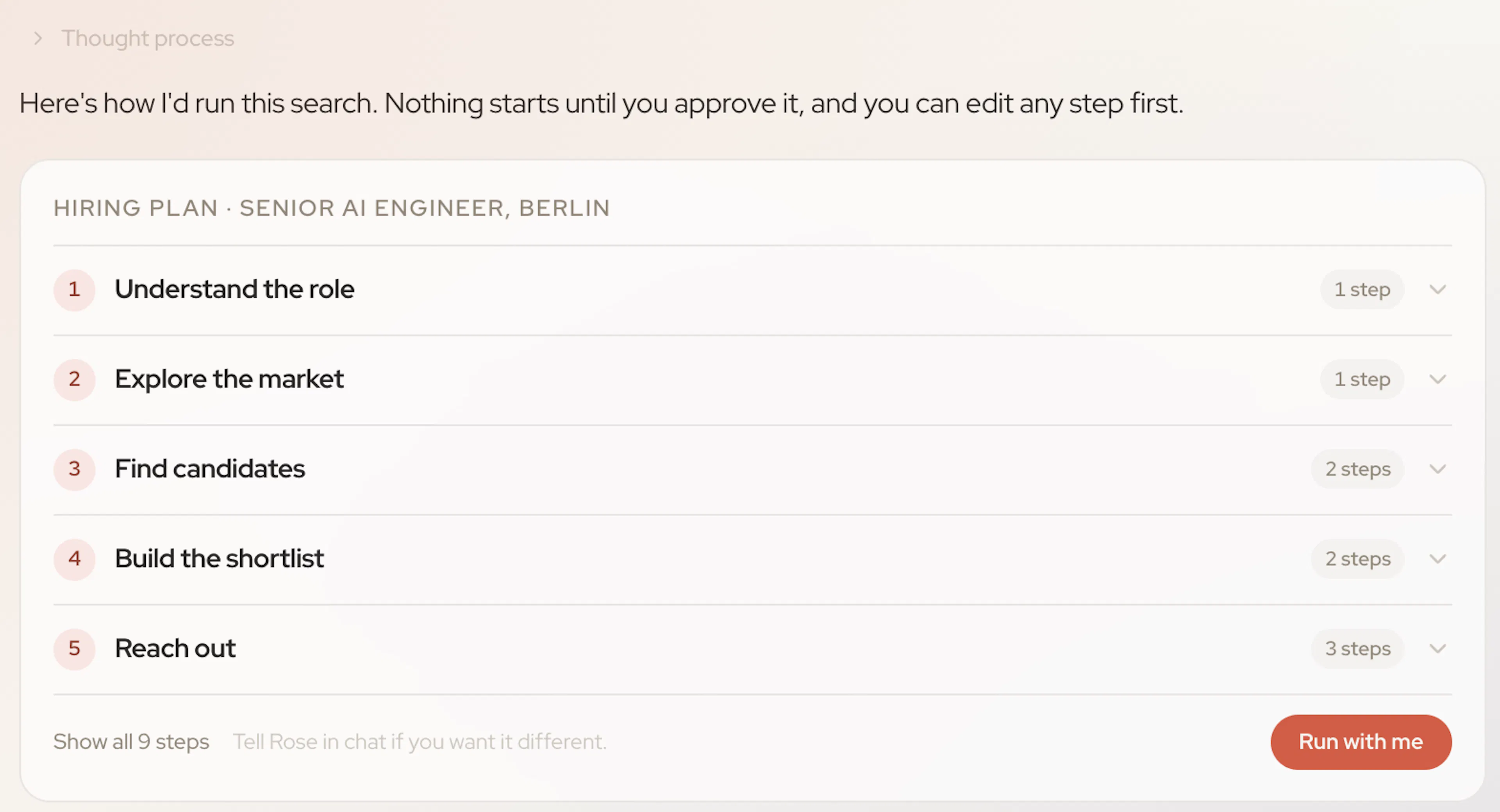
Each group shows how many steps it holds. Open a group to see its steps, or use Show all steps to read the whole plan. Where a step involves a search, Rose adds a one-line note on the companies she plans to look at, so you can check her assumptions before she starts.
Want something different? Edit a step's wording with the pencil icon, or just tell Rose in chat — she'll propose a revised plan.
Approving the plan
When the plan looks right, click Run with me. Rose switches the chat to Normal so she can act, and starts on the first step.
As she works, the plan becomes a live checklist:
- a green check marks a finished step,
- a pulsing copper dot marks the step she's working on,
- a quiet circle marks what's still to come.
A plan panel keeps your progress in view — Step 2 of 5 · 40% complete — and lets you jump to any stage in the chat.
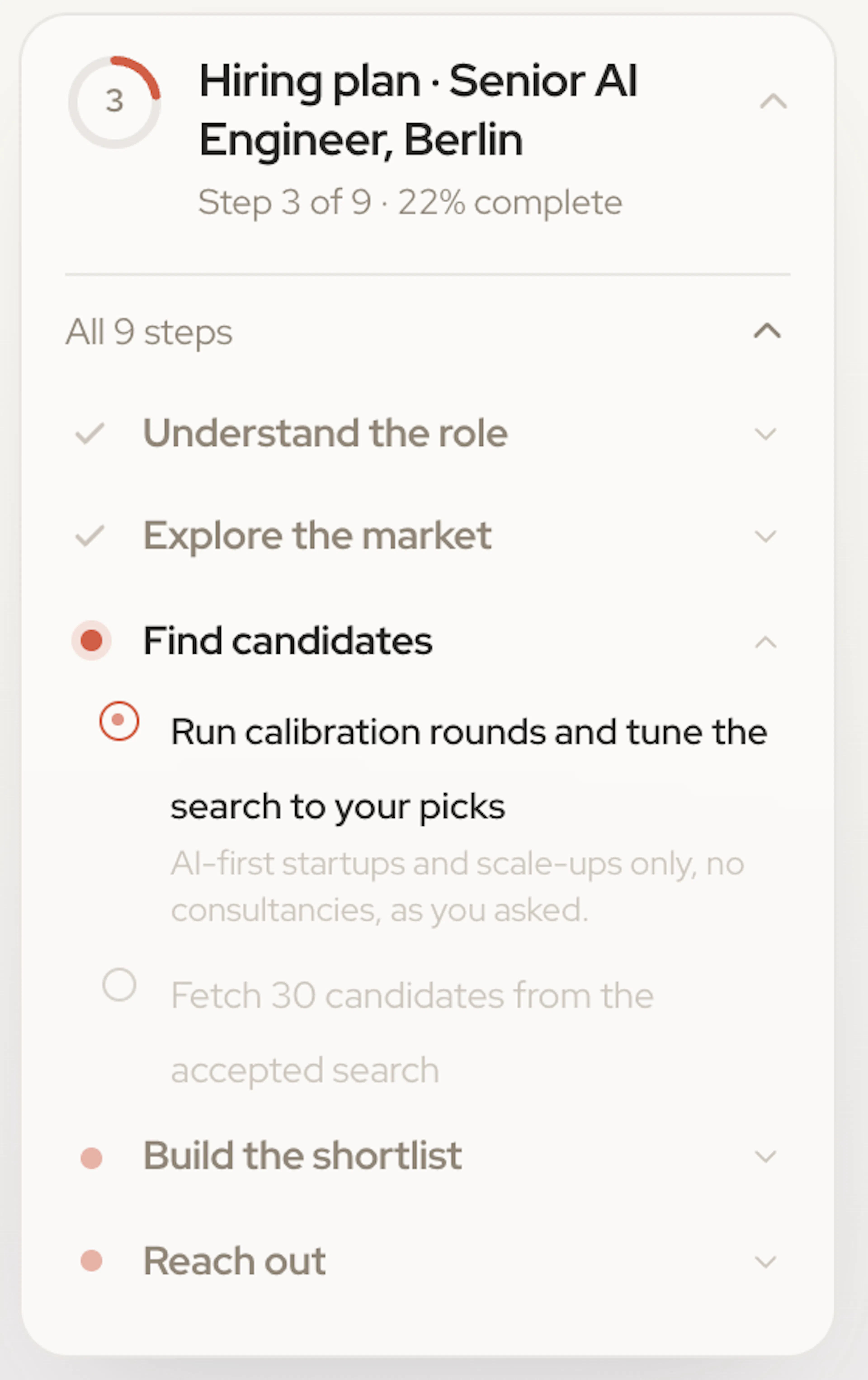
You approve each step
A plan is not a blank cheque. Rose still checks in with you at every decision that matters: she shows you profiles before adding anyone to a project, asks you to confirm the outreach sequence, and waits for your approval before launching. Approving the plan never authorises her to add candidates you haven't asked for.
Prefer to drive yourself? Switch to Normal at any time and give Rose one instruction at a time. Planning mode is a shortcut, not a requirement.