Calibrating a Search
Teach Rose what a good match looks like by judging a few profiles at a time — then pull as many more as you need from a search you trust.
Calibration is how Rose learns what you mean by a good candidate. Rather than returning hundreds of profiles and hoping, she shows you three at a time, learns from your verdicts, and tunes the next three — until a whole round lands. The result is a calibrated search you can return to whenever the project needs more people.
How a round works
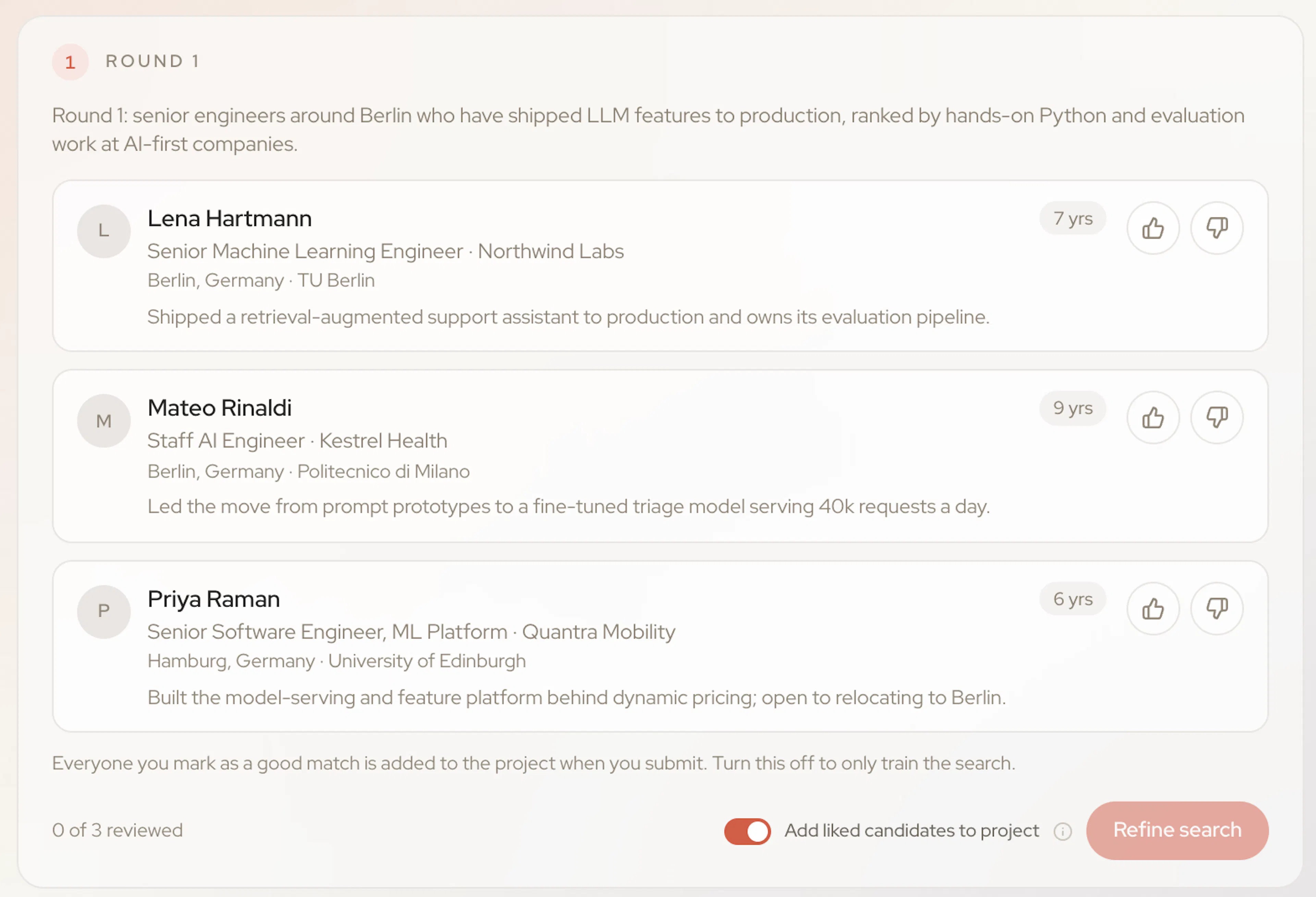
Rose shows three profiles
Each round opens with a short note on what Rose looked for, then three candidates with their current role, location and relevant years of experience. Click a name to open the full profile.
You judge each one
Mark each profile Good match, Not a match, or Unsure. Add a reason if you like — “What works about them?” or “What's off?”. Reasons are optional, but they're the most useful signal you can give.
Rose tunes the next round
Submit, and Rose uses your verdicts to refine the search. If everything looks right she'll suggest Review search; if not, Refine search brings back a new three.
Say why. “Too junior”, “wrong industry” or “exactly this background” teaches Rose far more than a thumbs up or down on its own.
Adding the people you like
The Add liked candidates to project switch is on by default: everyone you mark a good match is added to the project when you submit. Turn it off if you only want to train the search. Each new candidate added to a project uses credits.
Accepting the search
When a round lands, Rose asks you to Review this search — a summary of the evidence from the profiles you approved. Choose Use this search and the project is marked Search accepted.
From then on, the chip at the top of the chat shows the project's calibrated search and roughly how many profiles are in the pool. Open it to see Your calibrated search:
- Looking for — the requirements Rose locked in.
- What you told me — the things you said directly.
- What I picked up — preferences Rose inferred from your verdicts. These affect ranking but never exclude anyone.
Two actions sit underneath:
- Pull [n] more — add the next batch of candidates from the calibrated pool.
- Recalibrate — run new rounds if the brief has changed.
A project that shows Not calibrated still works — it just hasn't been through a round yet. Click Start calibrating and Rose will show you a first three.
Excluding people you've already sourced
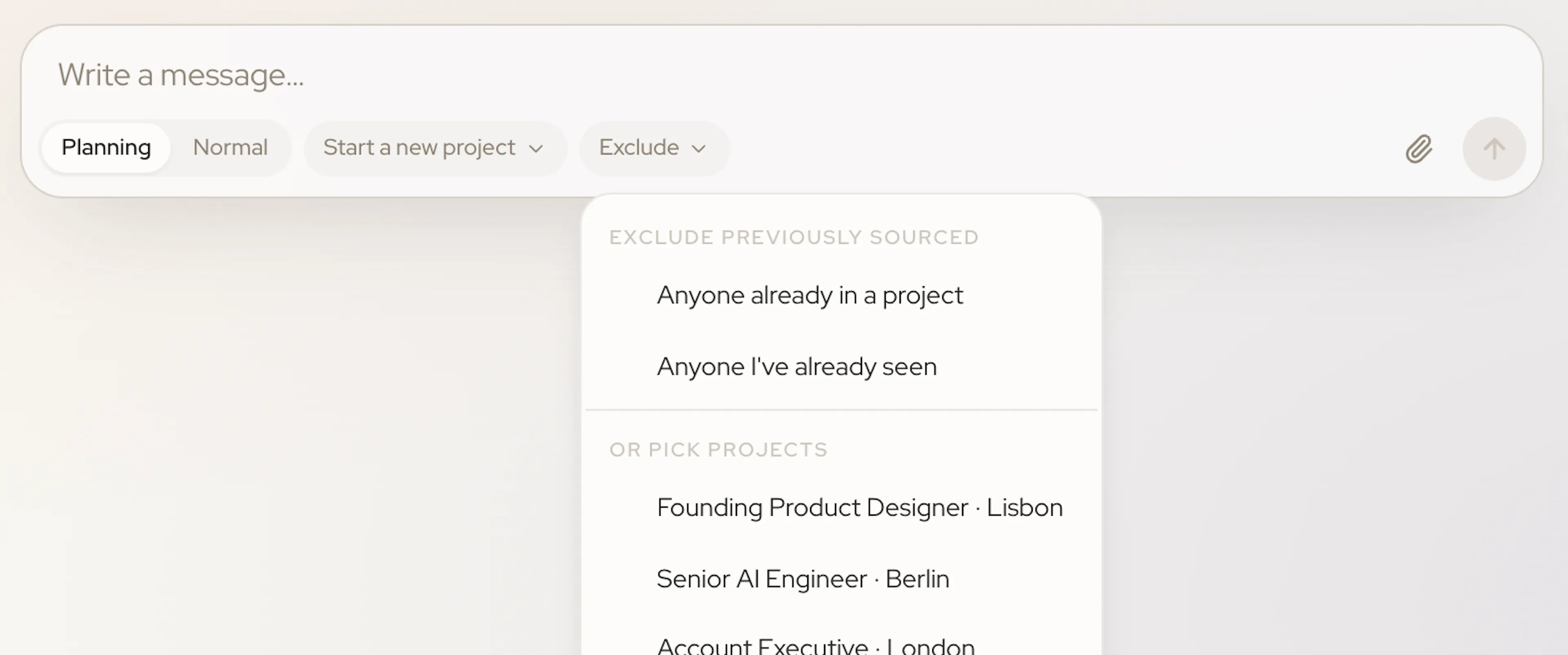
When you start a new chat, use the Exclude control in the message box (next to the project picker) to stop familiar faces coming back:
- Anyone already in a project
- Anyone I've already seen
- Or pick projects — exclude only the candidates in specific projects.