Inbox
The Inbox is where you manage candidate conversations — Rose handles most replies herself and surfaces only what needs your attention.
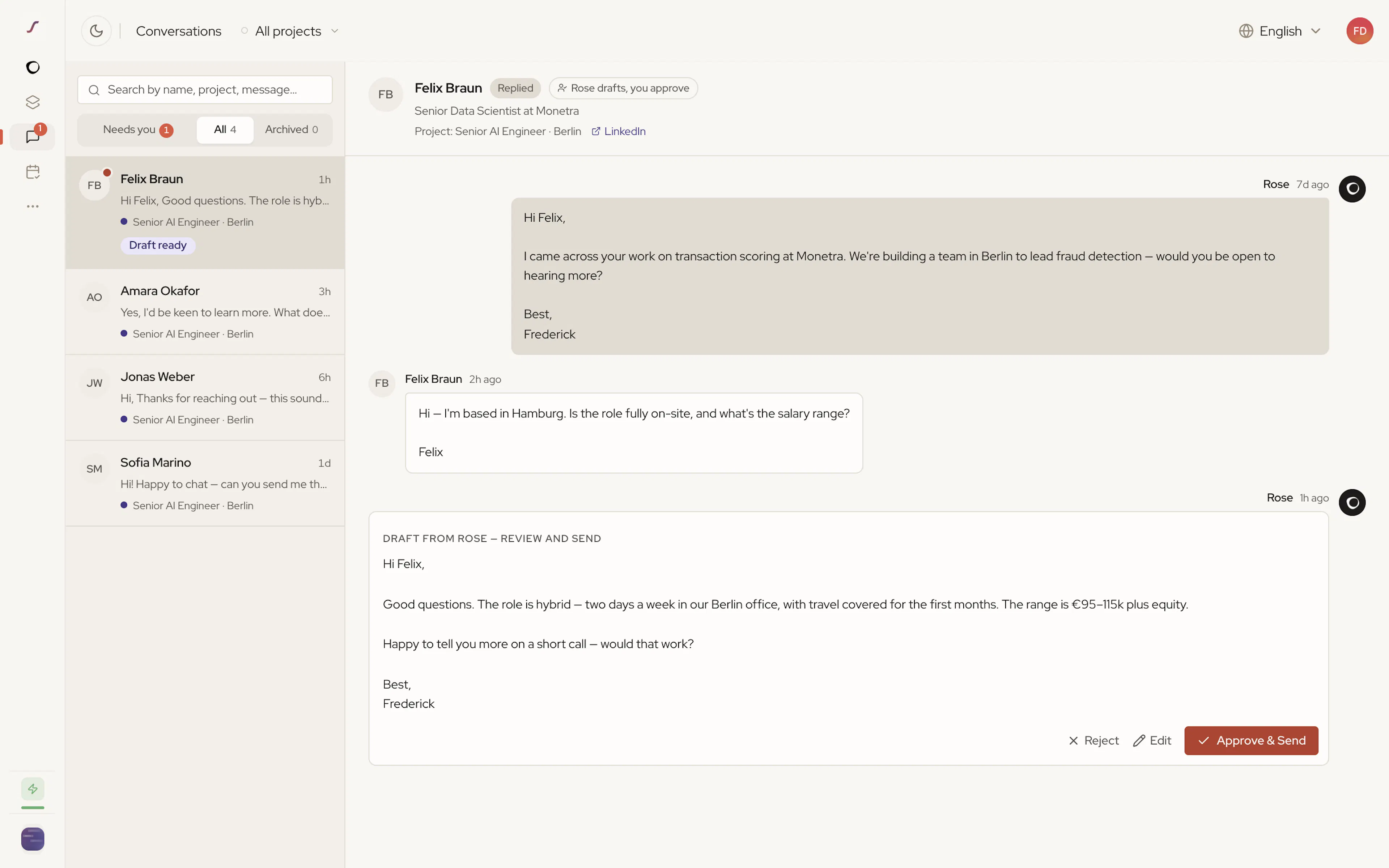
The Inbox is where you reply to candidates across every active project. A conversation lands here once a candidate replies, and Rose handles most of them herself — the Needs you filter shows only the ones waiting on you. Open it with Inbox in the left sidebar; the badge shows how many conversations need you.
In this section
- How Rose Handles Replies — what Rose does with every message before it reaches you.
- Managing Conversations — filtering, archiving, approving drafts, and replying.
Rose surfaces what needs you on the left. Anything she can handle herself never makes it here.
Was this page helpful?